DISKS/ 01/ CLIPMUNK
DISK 01 / FORMATTED / RELEASED
3.5" MICRO TOOL — WINDOWS
3.5" MICRO TOOL — WINDOWS
CLIPMUNK/
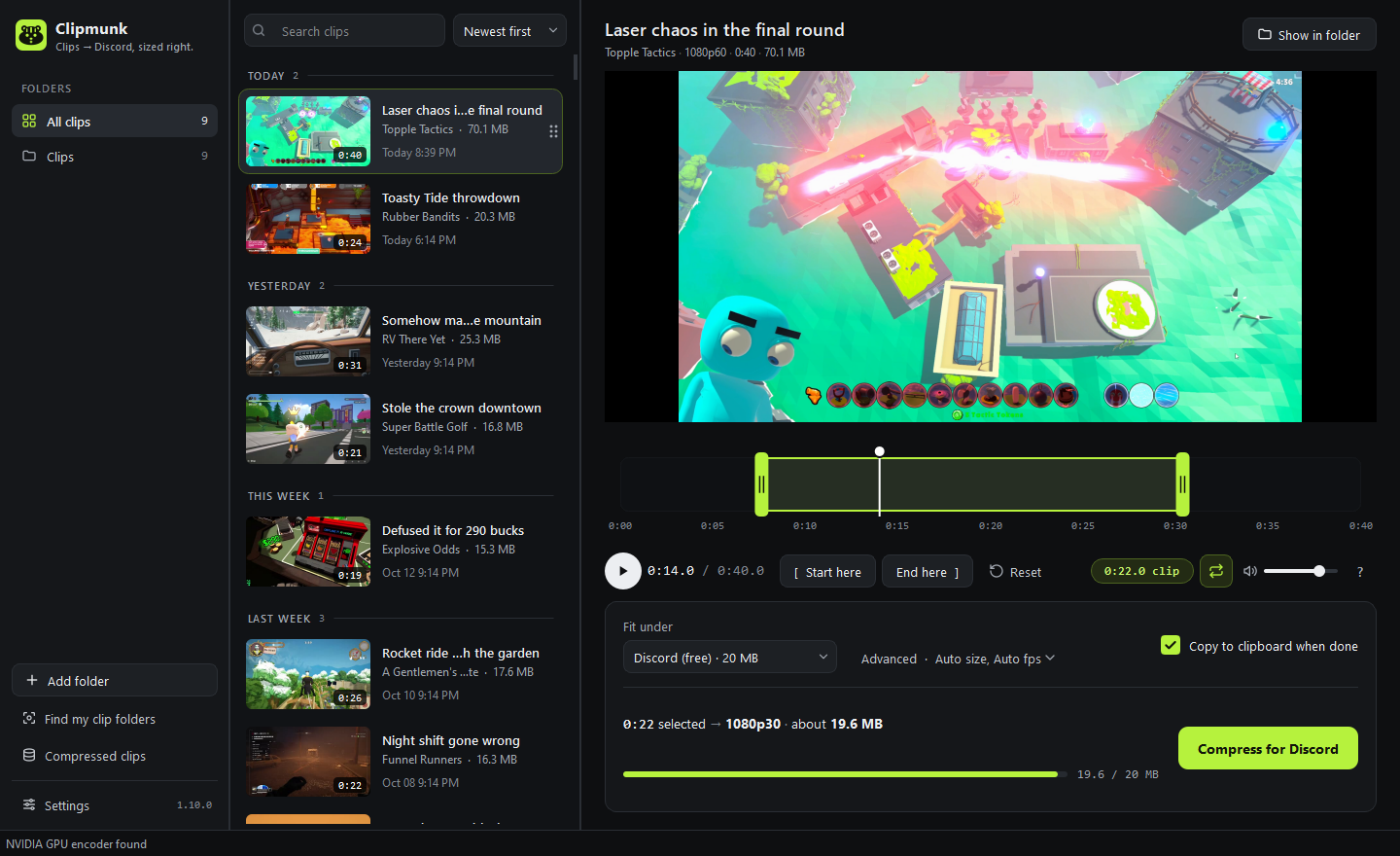
Pull your gaming clips from any capture app, trim them, shrink them to fit Discord, and drag them straight into chat.
PLATFORM......... WINDOWSPRICE............ FREE
FIT UNDER........ 20/50/500 MBADMIN NEEDED..... NO
ENCODER.......... GPU / CPUUPDATES.......... ONE CLICK
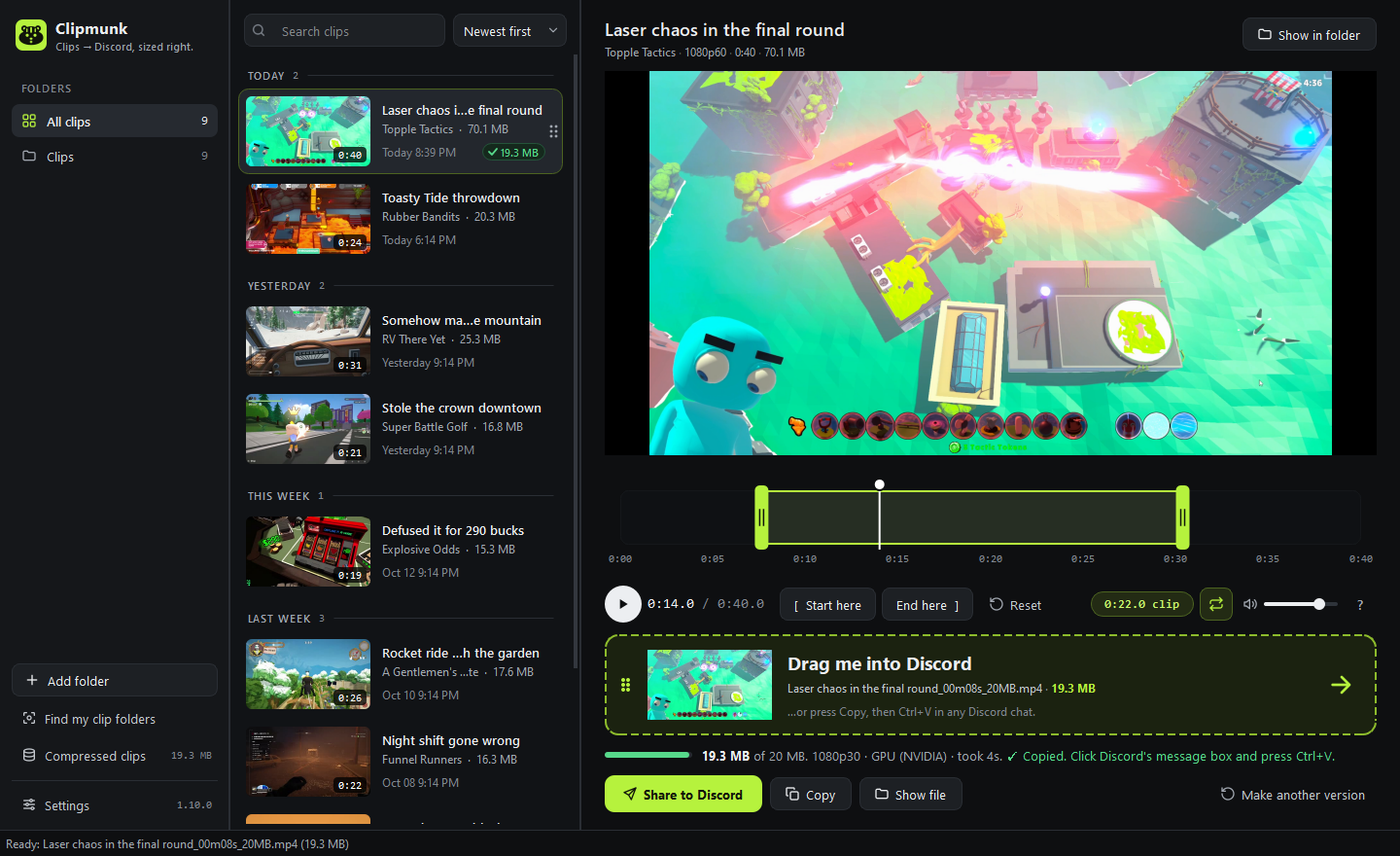
STEP 02 / OUTPUT
THEN DRAG IT IN/
When it's done, the clip is already on your clipboard. Press Ctrl+V in Discord, drag the card into a chat, or hit Share to Discord.
CONTENTS/
9 FILES01
Any capture app
Finds OBS, ShadowPlay, Medal, ReLive, Game Bar and Outplayed folders on its own.
02
Always fits
20 MB free, 50 or 500 MB Nitro, or your own size. Remembered.
03
Quick trims
Drag the handles or press I and O. Space plays, arrows skip.
04
Share in one click
Post to your server's clips channel, or drag into any chat.
05
Works on any PC
Uses your graphics card, falls back to the CPU.
06
Leaves originals alone
Makes a smaller copy; recordings are never touched.
07
Share with your server
Admins post one invite code; friends add the channel in one click.
08
Setup guide built in
How to set up sharing walks you through it, step by step.
09
Tidies up after itself
Compressed clips shows the space used. Old copies go to the Recycle Bin after 30 days.
READ_ME.TXT
▸"WINDOWS PROTECTED YOUR PC" — IS IT SAFE?
Yes. That shows for any app that isn't code-signed yet. Click More info, then Run anyway. The code is public on GitHub.
▸DOES IT UPLOAD MY CLIPS?
No. Clips stay on your PC unless you press Share to Discord.
▸HOW DO I UNINSTALL IT?
Windows Settings → Apps → Clipmunk → Uninstall.